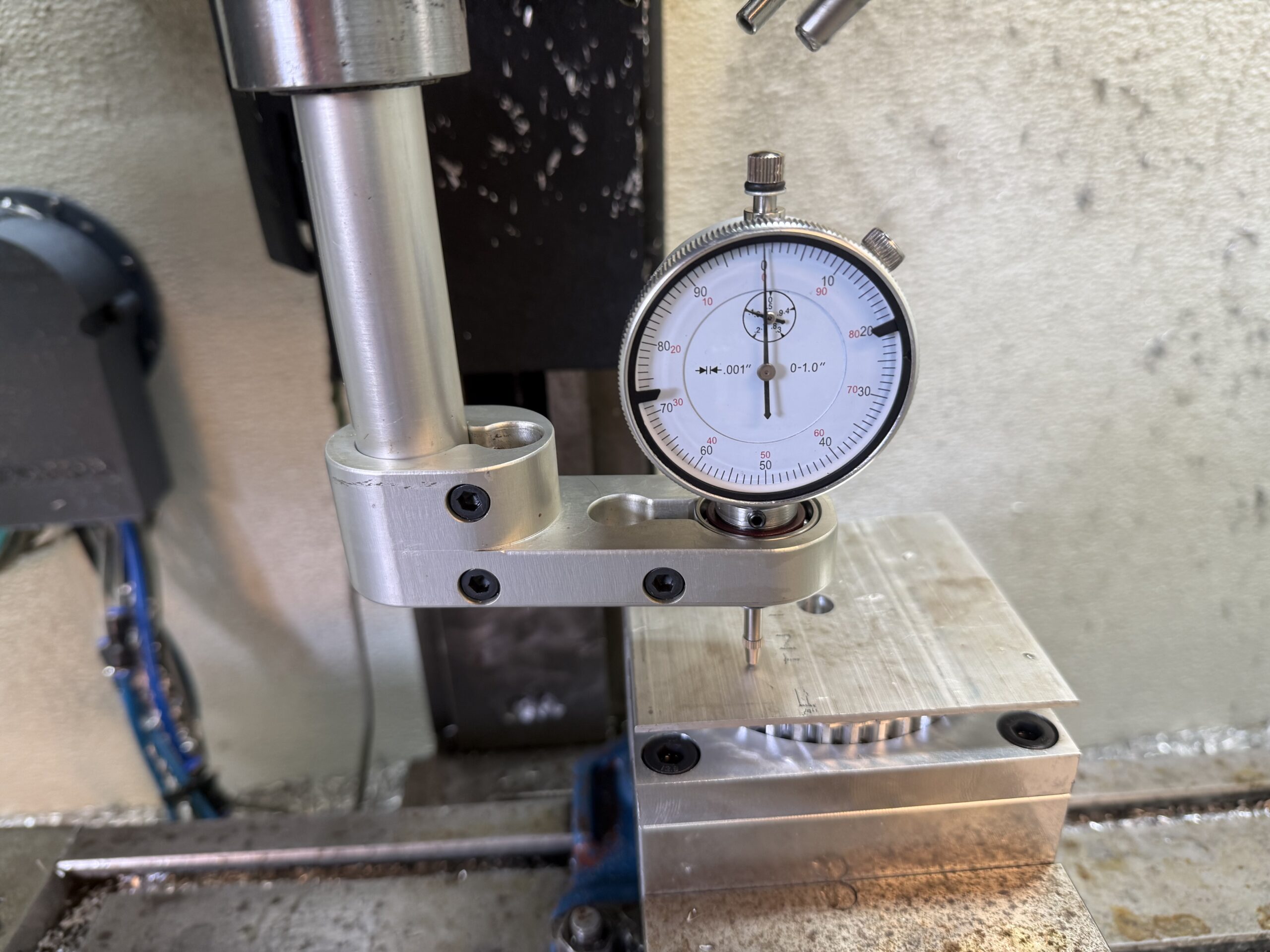
The Trammagic Mill Tramming Tool was designed to make checking and adjusting the tram of your milling machine simple, accurate, and fast. Unlike traditional tram bars that require two dial indicators, Trammagic uses a single rotating indicator that remains easy to read throughout the entire sweep.
Whether you’re checking the tram on a manual knee mill or a CNC machining center, the process is the same.
Install Your Dial Indicator
Begin by installing a standard 3/8-inch stem dial indicator into the indicator holder. Tighten the setscrew only enough to prevent the indicator from moving. Excessive force isn’t necessary and can damage the indicator stem.
Trammagic was intentionally designed around a standard dial indicator so you can use the measuring tool you already own instead of dedicating two indicators to a tramming device.
Install Trammagic in the Spindle
Insert the 3/4-inch shank into a collet or tool holder and tighten it securely.
Before taking measurements, clean the spindle taper, tool holder, and machine table. Chips or dirt can easily affect indicator readings.
Choose Your Sweep
One advantage of Trammagic is its flexibility.
The tool can sweep up to approximately a 6-inch diameter, but it doesn’t have to. For smaller sweeps, simply position the machine table so the indicator contacts the area you want to measure. This allows you to quickly check tram over different areas of the table without constantly repositioning the indicator in the holder.
Sweep the Table
Rotate the spindle by hand while keeping light contact between the indicator and the table.
As the spindle rotates, simply turn the indicator body so the dial always faces you. Because the indicator rotates independently of the spindle, you can maintain a comfortable viewing angle throughout the entire sweep without walking around the machine or trying to read the dial from behind the spindle. No mirrors, no tricks, no leaning over the machine or contorting, the dial remains in a comfortable viewing position throughout the entire sweep.
Maintaining a direct view of the dial also helps reduce parallax error, making small indicator movements easier to see and improving measurement consistency.
Adjust the Mill Head
Compare the readings from opposite sides of the sweep.
If they don’t match, loosen the mill head according to your machine manufacturer’s instructions and make small adjustments. Repeat the sweep until the readings agree, then tighten the head and verify the tram one final time.
More Than a Tramming Tool
Although Trammagic was designed for tramming milling machines, many machinists quickly discover it becomes a general-purpose setup tool.
The rotating indicator is equally useful for indicating workpieces, checking fixture alignment, setting up vises, inspecting flatness, and many other machine setup operations. Since it uses a standard removable dial indicator, you’re never tying up two precision indicators in a dedicated tramming tool.
That’s the idea behind Trammagic—one simple tool that makes tramming easier while remaining useful for countless other setup tasks around the shop.
Leave a Reply